
Designed to streamline your hiring process and make scheduling interviews a breeze!
Settings
To start collecting candidates availability go into your Settings, click Account Settings and toggle on Request availability for follow up.

Once this feature is turned on, it is turned on at an organizational level so this will be available for all interviews.
Candidate's View
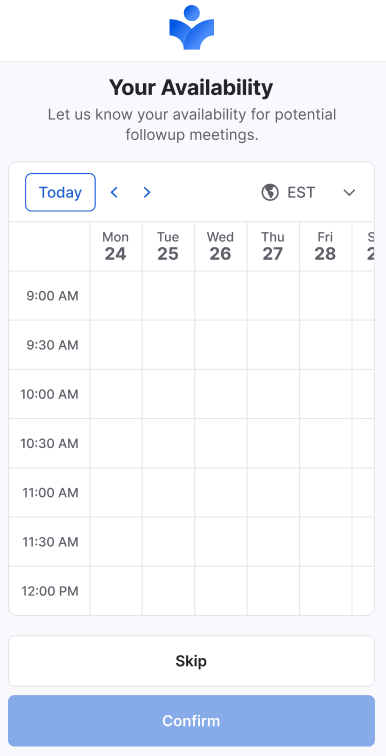
Once a candidate has completed an interview they will be given the option to fill out their availability for a follow-up interview for the following 12 days. On this page, candidates have the option to adjust their timezone, specify their availability, or choose to skip this step.
Candidate Details Page
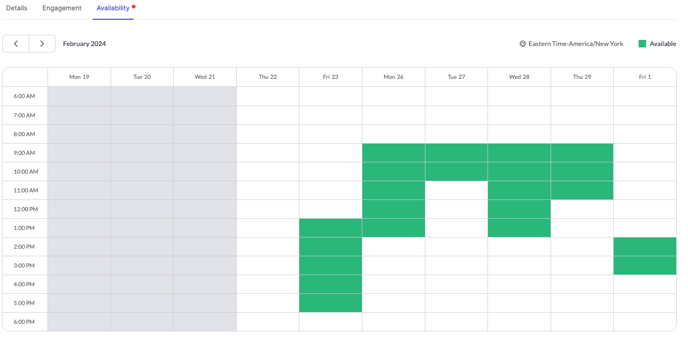
When reviewing a Candidate's interview, on their Candidate Details page there will be a new tab for availability. Below is an example of how that will look. By optimizing this feature you will have the ability to schedule a qualified candidate's next interview at a much faster pace.
If you have any questions or need assistance, please email us at service@qualifi.hr