
If you utilize Teams within Qualifi, this feature is the best time saver to reproduce the same Interview or Question across multiple Teams.
Duplicating an Interview
Duplicating an Interview can save you loads of time, whether you need that Interview in another team or you would like to reproduce the same Interview in your current team. When Duplicating an Interview to a new Team, any question in that Interview will automatically be created in your Questions tab. To Duplicate an Interview follow the steps below:
- Log in to your Qualifi account.
- Click Interviews on the left side of your dashboard.
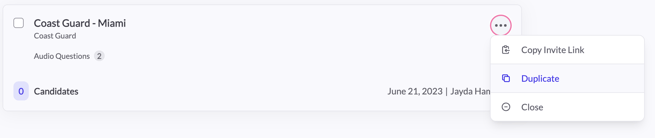
- Click on the three dots at the end of the interview you'd like to move.
- Click Duplicate.
- A pop-up will appear where you can select which Team(s) you want this interview to live and whether you would like to include the same keywords. Once done, click Next.
- Choose what Messaging Group you would like used in the interview. Click Save.
Duplicating Questions
When Duplicating Questions you can only Duplicate them into another team, never the current Team. To Duplicate a Question to another Team follow the steps below:
- Log in to your Qualifi account.
- Click Questions on the left side of your dashboard.
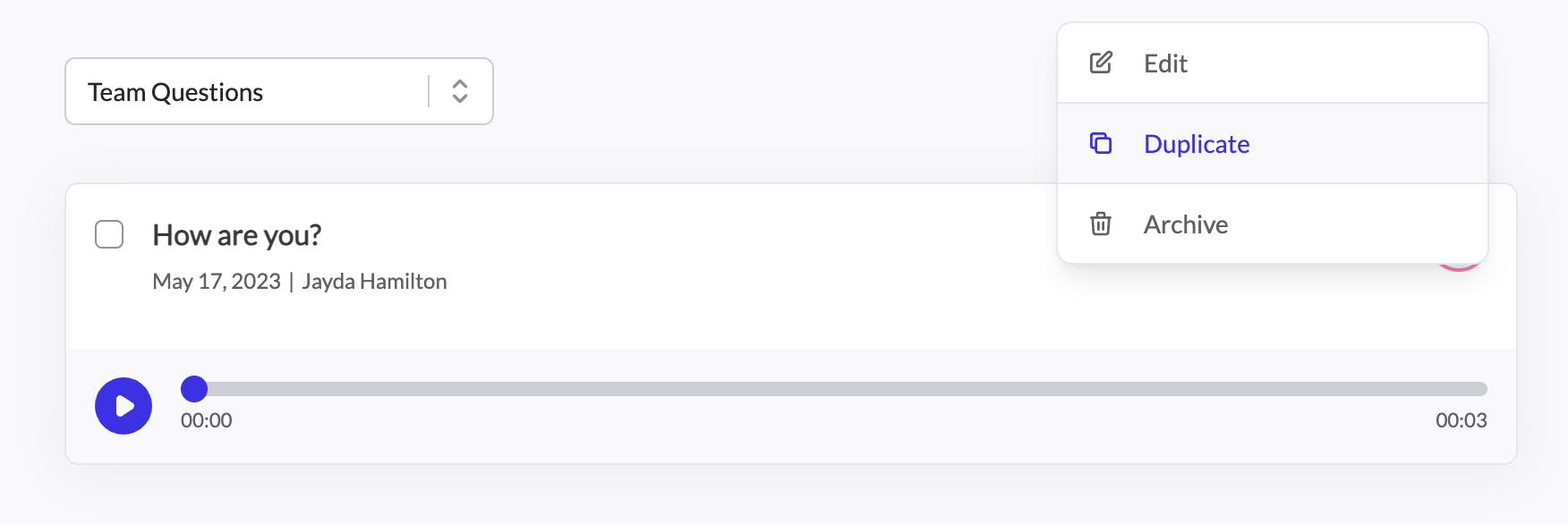
- Click on the three dots at the end of the interview you'd like to move.
- Click Duplicate.
- A pop-up will appear where you can select which Team(s) you want this Question to live. Once done, Copy Question.
If you have any questions or need assistance, please email service@qualifi.hr.