Survey questions will allow you to collect non-verbal responses from candidates before they begin their audio questions.
To create a survey question follow the steps below:
- Log in to your Qualifi account.
- On the left side of your Dashboard, select Questions.
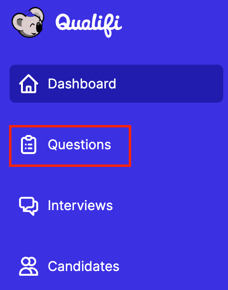
- Once in the Questions tab, select New Question on the top right corner of your screen.
- There you will select Survey Question and click Next on the bottom right corner of your screen.
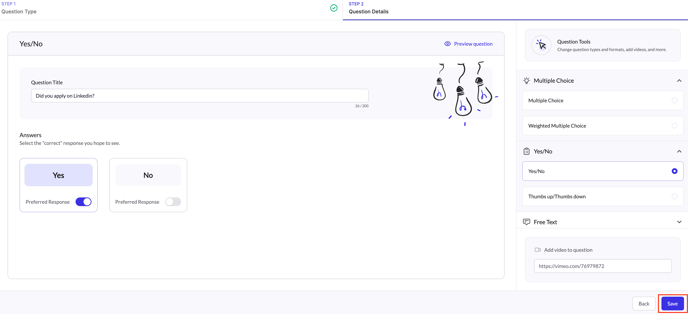
- Here you will be able to choose which type of survey question you'd like to create.
- Multiple Choice
- Weighted Multiple Choice
- Yes or No
- Thumbs up/ Thumbs Down
- Free Text
- Once chosen, fill out the title of your question along with the preferred answer and select Save on the bottom right corner of your screen.