
This article explains how to automatically remind candidates up to three separate times if they have not yet completed the interview
To set up automatic reminders for candidates, follow the steps below:
NOTE: If you do not see this option, you do not have the permissions to do so. Please contact your admin or service@qualifi.hr for assistance.
- Log in to your Qualifi account.
- Click Settings on the bottom left corner of your dashboard.
- Click the System Settings tab, and into Candidate Reminders.
- There you can select the number of days to send a reminder after the initial invitation was sent for up to 3 separate reminders.
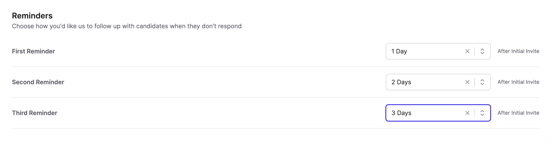
- After selecting each dropdown, you should see an immediate notification it was updated.
NOTE: Reminders will be sent via same delivery method the original invite was sent.
If you have any questions or need assistance, please email service@qualifi.hr