
Using the Bulk Upload feature, you have the ability to invite up to 500 candidates at once for an Interview.
Follow the steps below to use the bulk upload feature:
- Log in to your Qualifi account.
- On your Dashboard or Candidates page click Invite Candidates on the top right.
- Choose the interview you would like to send to the candidates and click Bulk Upload.
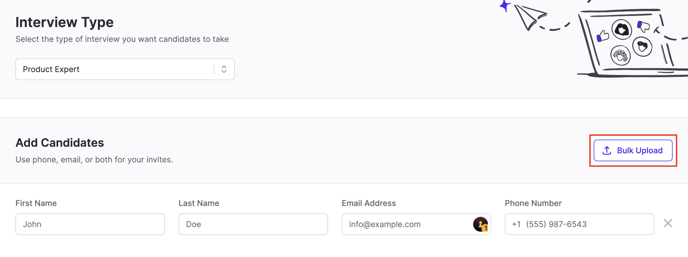
- Click Browse Files and select the appropriate file from your computer.
- Make sure all the rows match, for example if the first row on your file is a candidates first name, choose first name. Once all rows are confirmed, click Confirm Mapping for each row.
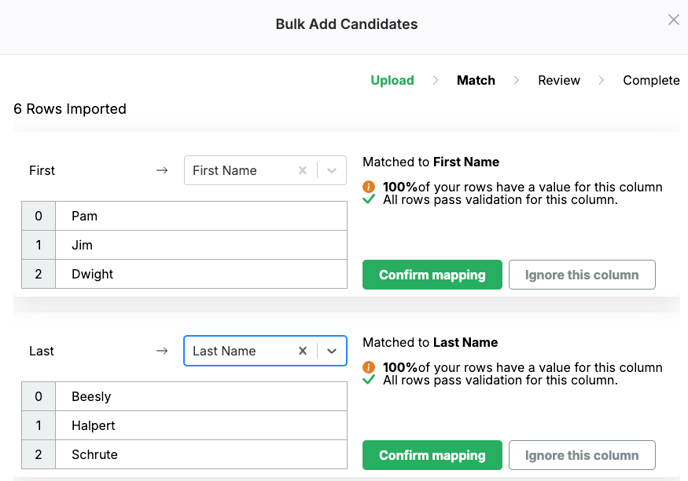
- Click Review once all columns are correct.
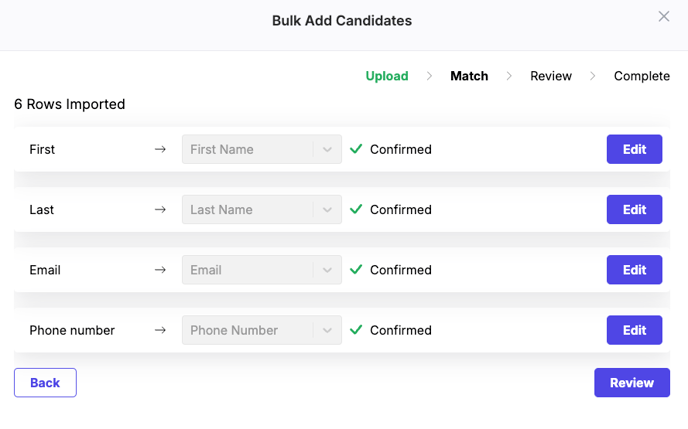
- Review all the candidate's details and correct any mistakes highlighted in red. Click Submit.

- A success pop-up will appear, click the X on the top.
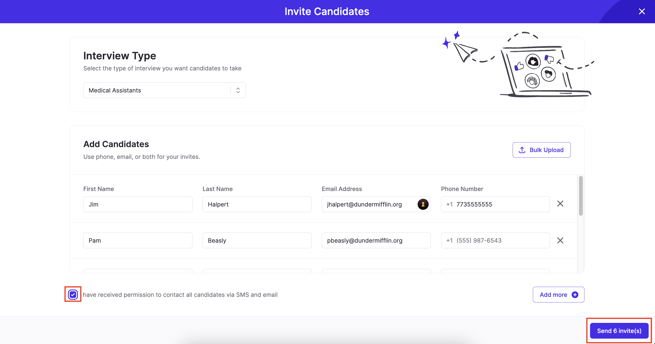
- All the candidates should be populated, review all the candidate details once more to ensure everything is correct.
- Check that you received permission to send these invites and Click Send # Invite(s).
If you have any questions or need assistance, please email service@qualifi.hr