
Linking your calendar to Qualifi can save you time and hassle by allowing you to see your upcoming appointments and schedule interviews with candidates all in one place.
Follow these steps to link your Calendar:
- Log in to your Qualifi account.
- Click Settings on the bottom left side of your dashboard.
- In the Integrations tab click Calendar.
- Click Connect Calendar.
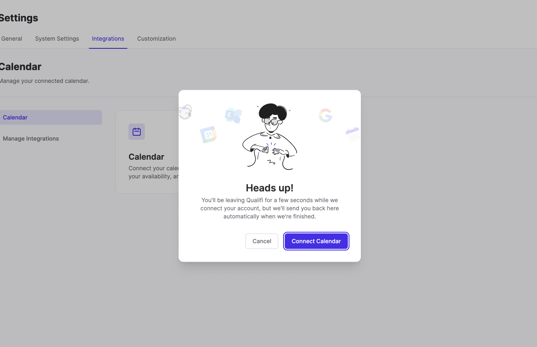
- From here, you'll be prompted to select your email provider - either Gmail or Microsoft. Choose the provider that you use for your calendar.
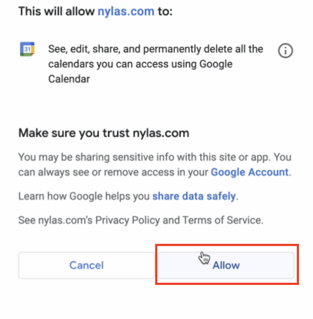
- You'll then be prompted to select your email account and grant access to your account. Click Allow.
- Once you've selected the account, you'll be redirected back to Qualifi, where you should see your linked calendar account.
If you have any questions or need further assistance, please contact us at support@qualifi.hr