
Want a brief overview of your candidate's responses? Check out their Interview Summary!
To view a candidate's Interview Summary follow these steps:
- Log in to your Qualifi account.
- Click Candidates on the left side of your dashboard.
- Click any candidates' name and you'll be able to view their summary through the fly-out panel or from their Candidate Details Page.
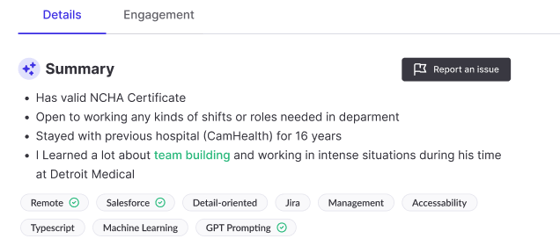
Note: Interview Summaries will also be visible in downloaded transcripts
If you have any questions or need assistance, please email us at service@qualifi.hr