
Feel like something's missing? Request a feature!
Our customer's feedback is very important to us! We strive to continuously improve our product. So, as you use our tool don't be afraid to reach out with any new feature recommendations, we take careful consideration into every feature request we get.
To request a new feature follow the steps below:
- Log in to your Qualifi account.
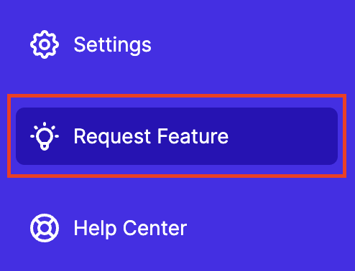
- Click on Request Feature on the bottom left corner of your dashboard.
- On our feature requests page you'll be able to:
- See feature requests other customers have submitted and upvote if you believe those requests would be beneficial!
- Submit your own request!

- See feature requests other customers have submitted and upvote if you believe those requests would be beneficial!
- Once submitted, you'll always be able to go back to the feature request page to check the status of your request.
If you have any questions or need assistance, please email service@qualifi.hr